
Your whole university on one platform
Faculties and programmes, admissions and merit lists, course registration, class schedules, lecture attendance, gradebooks with result approval, GPA, CGPA, transcripts, semester billing, payroll and full accounts, all connected.
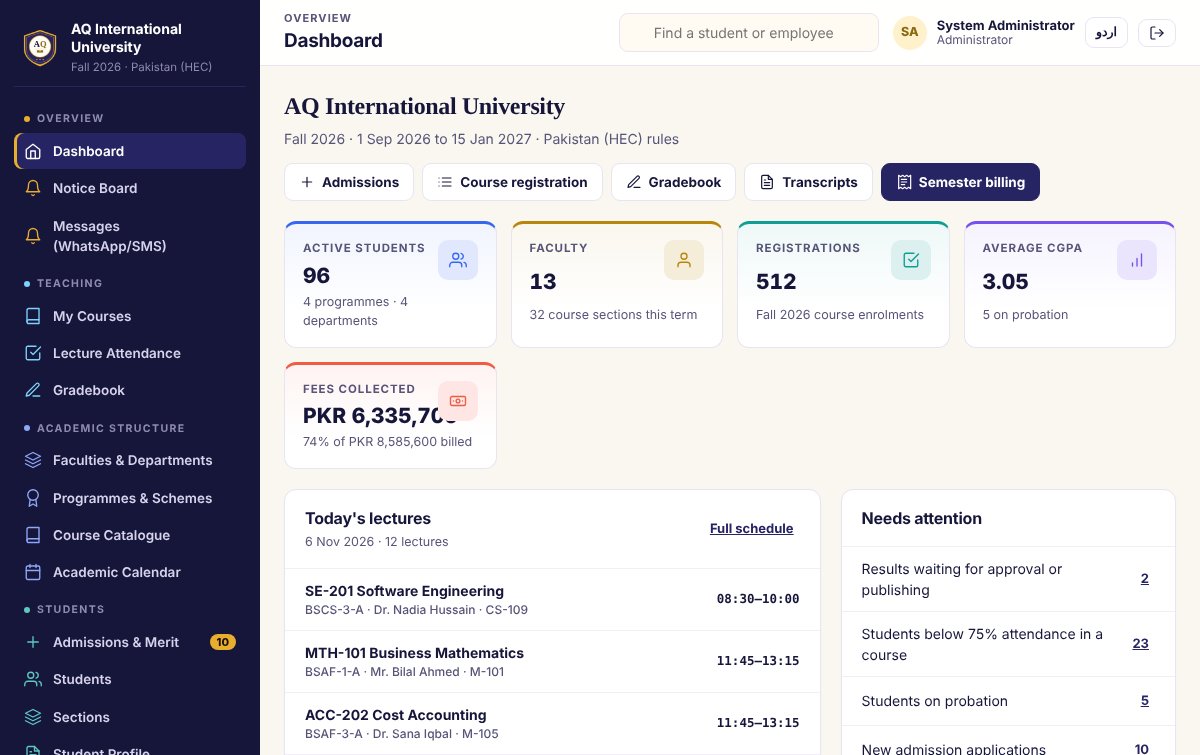
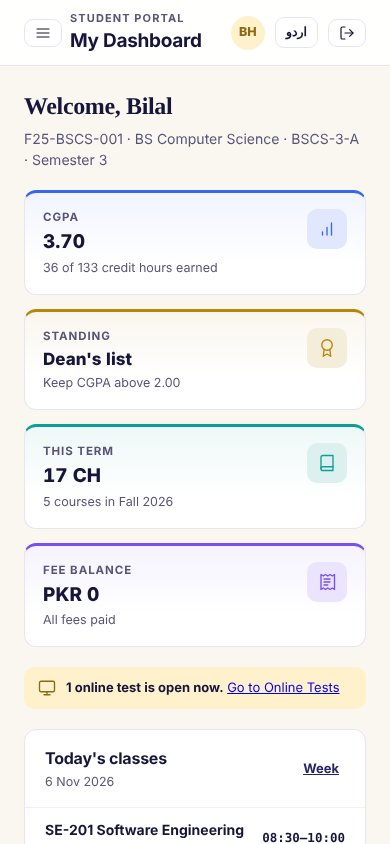
One system for the whole campus
Each person gets their own login and sees only their own work. Deans and heads approve, the registrar publishes, accounts bills, and students follow everything on their phone.
Students, registrations, CGPA, probation, faculty workload and fee collection at a glance. Results reach transcripts only after approval.
Admissions and merit lists, sections, course offerings, registration windows, result approval, transcripts and graduation.
My courses, lecture attendance, gradebook with quizzes, assignments, mid-term and final, online tests and the exam paper maker.
Semester billing by credit hour, scholarships, challans and online payments. Students register, see results and pay from the portal.
Twelve modules, all connected
Registration feeds the class schedule, attendance and the gradebook. Approved grades build GPA, CGPA and transcripts. Billing and salaries post to the accounts by themselves.
Faculties & programmes
- Faculties, departments and HODs
- BS, BBA, MS, MPhil and PhD programmes
- Schemes of study by semester
- Credit hours and minimum CGPA to graduate
Admissions & merit lists
- Applicants with Matric/SSC, Inter/HSSC and entry test
- Merit formula you can change
- Offer, admit and assign registration numbers
- Merit list as PDF
Course registration
- Prerequisites and credit-hour limits checked
- Section capacity and timetable clashes blocked
- Add, drop and withdraw (W) deadlines
- Registration slip for every student
Class schedule & calendar
- Weekly lectures and labs by section
- View by instructor or by room
- Academic calendar with semester dates
- Today's lectures on every dashboard
Attendance & gradebook
- Lecture attendance with 75% warnings
- Quizzes, assignments, mid-term and final
- Weights you set, grade shown live
- Award list as PDF and Excel
Result approval
- Faculty submits, HOD approves
- Controller of exams publishes
- Grade spread for every section
- Return to faculty for correction, all logged
GPA, CGPA & transcripts
- HEC 4.00 scale or your own scale
- Dean's list and probation automatically
- Repeated courses counted correctly
- Transcript and degree audit as PDF
Semester billing
- Tuition per credit hour plus fixed fees
- Scholarships and discounts
- Challans, online payments and receipts
- Fee receivables ageing
Faculty, HR & payroll
- Faculty workload against your norms
- Staff attendance and leave approvals
- Monthly payroll and payslips
- Overloaded and under-loaded faculty flagged
Full accounts
- Double-entry ledger, cash and bank book
- Expenses, other income and fixed assets
- Balance sheet, income statement, cash flow
- Designed by qualified accountants
Online exam centre
- Question bank by course
- Timed online tests with automatic marking
- Exam paper maker, Word and PDF
- Papers in English or Urdu
Roles, privacy & your brand
- Admin, registrar, HOD, faculty, accounts, student
- Activity log of every change
- Pakistan (HEC) or Saudi rules, switchable
- Your university name, logo and colours
See it before you buy it
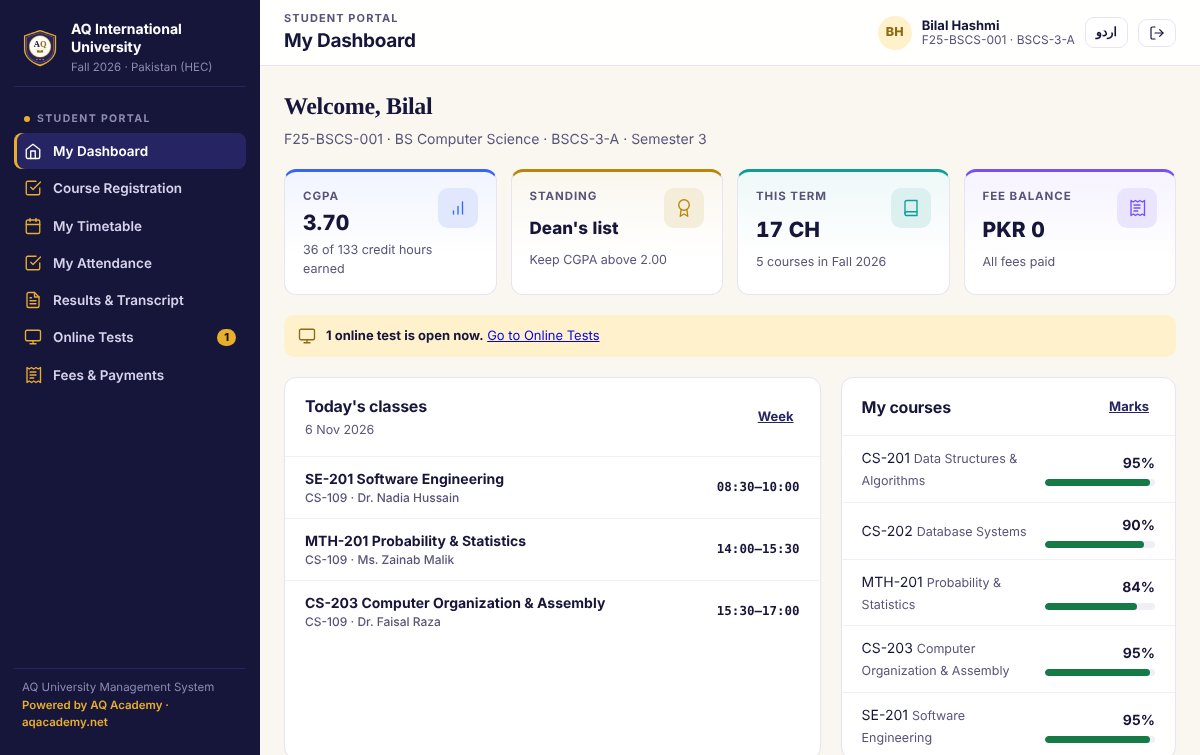
Students see their whole degree on their phone
Students sign in with their registration number. Everything they need for the semester is in one place, in English or Urdu.
- CGPA, standing and credit hours earned
- Course registration within the credit limit
- Today's classes and the weekly timetable
- Attendance per course with warnings
- Results, transcript and online tests
- Fee challans and online payment
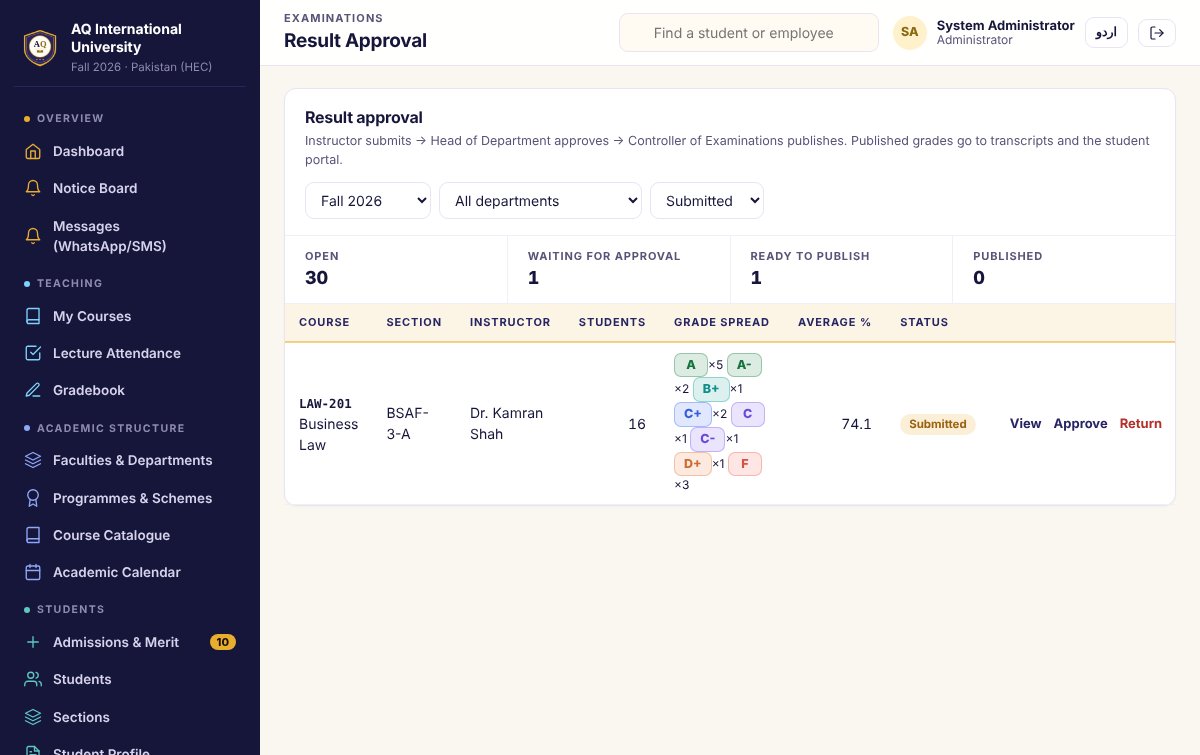
From gradebook to transcript, with approvals
Faculty enter marks in the gradebook. The head of department checks the grade spread and approves. The controller of exams publishes, and GPA, CGPA, probation and the dean's list update by themselves.
- Submit → approve → publish, or return for correction
- Semester result gazette as PDF
- Transcripts and degree audit for graduation
- Grading scale, pass marks and weights in University Rules
A plan that fits your university
Priced on the number of students, with setup, data import and staff training included. Tell us about your campus and we send a written quote.
Academic
Registration and results
- Faculties, programmes and courses
- Admissions and merit lists
- Registration, schedule and attendance
- Gradebook, approvals, GPA/CGPA, transcripts
- Student portal
Complete Most chosen
The whole university
- Everything in Academic
- Semester billing, scholarships, challans
- Online payments and receipts
- HR, payroll and faculty workload
- Full accounts and financial statements
Complete + Online
With the online exam centre
- Everything in Complete
- Question bank and online tests
- Exam paper maker in English and Urdu
- Student online tests and instant results
- Priority support and on-site training
Free updates · staff training included · yearly and per-semester plans available.
From demo to live in four steps
See the demo
Request an access code and open the live demo with a sample university. Sign in as admin, registrar, HOD, faculty or student.
Free consultation
Tell us about your programmes, rules and campuses. We recommend a plan and send a quote.
Setup & import
We add your logo, rules and grading scale, and import programmes, courses, students and staff from Excel.
Training & support
Registrar, faculty and accounts are trained live, with support after you go live.
Frequently asked
How do I open the live demo?
The demo is private. Request an access code or message us on WhatsApp. Enter the code on the demo page, then tap a demo login: admin, registrar, HOD, faculty, accounts or student.
Does it follow HEC rules?
Yes. Choose Pakistan (HEC) or Saudi Arabia in setup. The grading scale, probation limits, credit hours, terminology and currency change with it, and every rule stays editable.
Can students register for courses themselves?
Yes, within the registration window. Prerequisites, credit-hour limits, section capacity and timetable clashes are checked automatically.
How are GPA and CGPA calculated?
From approved grades only, on your grading scale. Repeated courses follow your rule (for example, the latest attempt counts), and probation and dean's list are flagged by themselves.
Will it show our university's name?
Yes. Your name, logo and colours appear on every screen, transcript, challan and report.
Can you bring our existing data?
Yes. Programmes, courses, students, faculty and staff import from Excel templates, and we help with the first semester setup.
See it running with your university's name
Request a demo code, then book a free walkthrough. We set it up with your logo and rules before you decide.
- Saudi Arabia: +966 58 360 7169
- Pakistan: +92 312 9255613
- info@aqacademy.net
- aqacademy.net · save our contact